Azure AI Foundry is Microsoft’s unified environment for building, testing, and deploying AI applications and agents. It brings together model catalog, prompt engineering tools, evaluation workflows, deployment management, and governance in one place. Developers use it to prototype conversational agents, automate internal processes, integrate AI into existing applications, or run large‑scale inference workloads without managing infrastructure.
A major advantage is the direct access to a wide range of models, including ChatGPT, Claude, and many specialized foundation models. You can test them interactively in the browser, configure deployments, and expose them as APIs for your own applications.
You can try all of this with a free Azure trial subscription. The included credits allow you to create resources, deploy models, and experiment with Azure AI Foundry at no cost — ideal for learning, prototyping, and building your first AI‑powered tools.
Step 1: Create a model and project
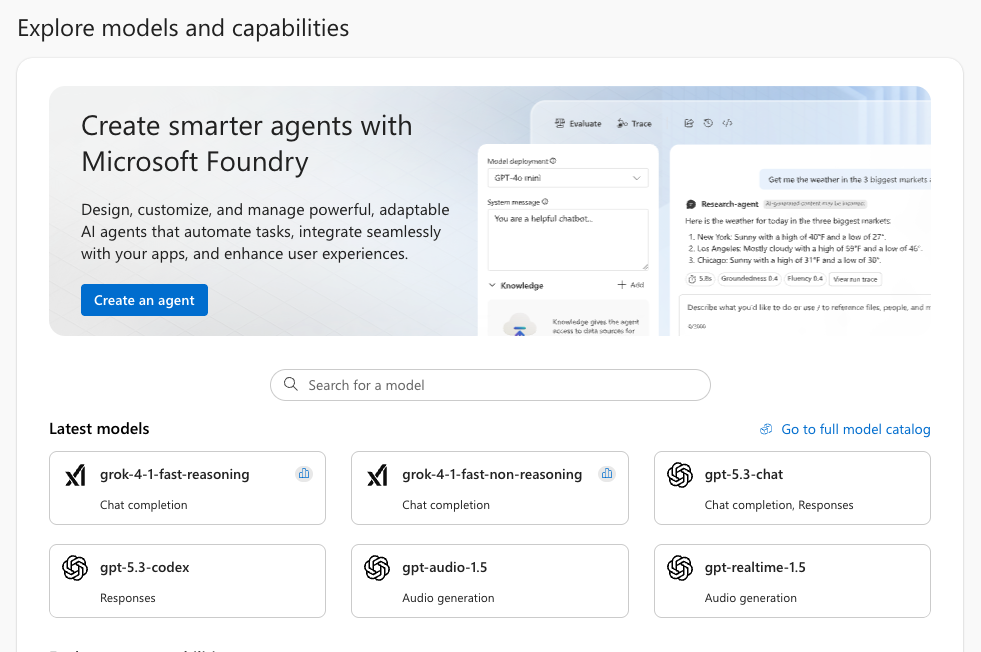
- Open ai.azure.com and sign in.
- Click on Model catalog.
- Search for GPT‑4.1 mini (or any other model you like).
- Open the model’s detail page.
- Click Use this model.
- Choose “Create new project” when prompted and enter a project name.
- Choose:
- Subscription
- Resource group
- Resource name
- Region
- Confirm creation.
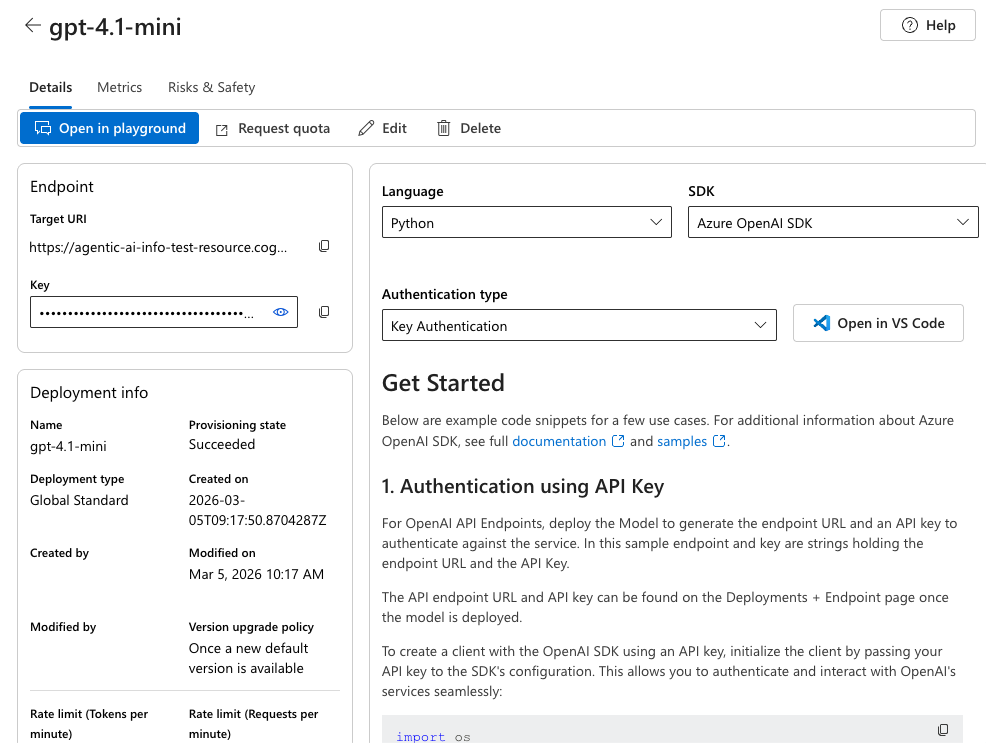
Azure will provision the resource in the background and create your model. Once ready, you will land on an overview page:
Step 2: Use the API Key in Your Code Project
On the right side of the overview you will find coding examples how to integrate the model in your projects.
On the left side you will find the URL of the API endpoint and the API key we are going to use in our example.
You could for example create a simple Node.js aplication using the OpenAIClient:
- Install Node.js if you have not already
- Create a file package.json and copy the following snippet to install all needed dependencies:
{
  "type": "module",
  "dependencies": {
    "openai": "latest"
  }
}- run npm install
- create a new .js file, e.g. foundryTest.js
- copy the following code and insert the URL and API key of your Foundry Resource
import { AzureOpenAI } from "openai";

const endpoint = "<your API endpoint>";
const apiKey = "<your API key>";

const apiVersion = "2024-04-01-preview";
const deployment = "gpt-4.1-mini";

export async function main() {

    const options = { endpoint, apiKey, deployment, apiVersion }
    const client = new AzureOpenAI(options);

    const response = await client.chat.completions.create({
        messages: [
            { role: "system", content: "You are a helpful assistant." },
            { role: "user", content: "I am going to Paris, what should I see?" }
        ]
    });

    if (response?.error !== undefined && response.status !== "200") {
        throw response.error;
    }
    console.log(response.choices[0].message.content);
}

main().catch((err) => {
    console.error("The sample encountered an error:", err);
});- run “node foundryTest.js”
The code will send the hardcoded request “I am going to Paris, what should I see?” to your foundry resource and authorize using your API key. You will see the response of your model in the console.
A Note on API Keys
API keys are sensitive secrets that grant full access to your Azure AI resources. Anyone who obtains your key can run requests against your deployment, which may generate unexpected costs or allow unauthorized use of your models. For that reason, API keys must never be shared publicly, posted in screenshots, or committed to GitHub repositories. Always store them in environment variables, secret managers, or encrypted configuration files, and rotate them immediately if you suspect they may have leaked.
Summary
Azure AI Foundry makes it easy to explore modern AI models, deploy them as APIs, and integrate them into your applications. With the free Azure trial, you can experiment with GPT‑4.1 mini and build your first AI‑powered tools without upfront cost. Just pick a model, create a project, deploy it, copy your API key, and start coding.
Leave a Reply